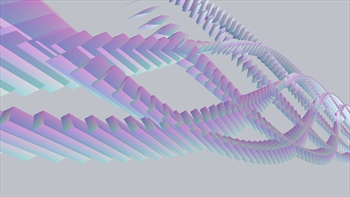
Pictured: An audio visualizer created with KissFFT It's been one year and one day since I posted my original KissFFT block for Cinder and it's time for an update. Cinder has evolved and I've been updating my blocks to evolve with it. Cinder KissFFT 1.1.0 goes well beyond syntax updates with a major makeover. GET KISSFFT FOR CINDER ON GITHUB The zip includes three sample projects for Visual Studio 2010 and XCode demonstrating FFT on generated audio, audio loaded from a file, and tempo detection. Just drop the contents of this zip into your "blocks" folder and try out the samples. An audio visualizer created with KissFFT WHAT'S NEW? Static Library A really nice feature of the new block is the option to use either source code or a static linking library. The examples use the static library. This hides the guts of the block and speeds up build time. Explicit Pointer The old KissFFT block used what's called an "implicit pointer". It was a standard class with a shared pointer that did all the work. The new class simply returns a shared pointer for you to work with directly. Here's a quick run down on implementing the block. The following code creates an instance of the FFT class, fills a buffer, sends it to the analyzer, and reads the results in the frequency domain. // Create instance of analyzer KissRef fft = Kiss::create(); // Create buffer float *buffer = new float[ 1024 ]; // TODO: Fill buffer with generated // or input data -- see example // Pass the data to be analyzed fft->setData( buffer ); // Analyze and acquire transformed data float *data = fft->getAmplitude(); // Iterate through frequencies and report their volumes int sampleSize = fft->getBinSize(); for ( int32_t n = 0; n < sampleSize; ++n ) { console() << "Freq: " << n << ", Vol: " << data[ n ] << "\n"; } A few other improvements: Code re-organized for better portability Cleaner, better performing samples Improved cross-platform compatibility Project for building static library included (VS10) 1.0.1: Upgraded to Kiss FFT 1.2.9 1.0.1: Added memory optimization (thanks Nick Porcino) 1.0.2: Added XCode sample projects 1.0.3: Code cleanup and optimization 1.1.0: Upgraded to Kiss FFT 1.3.0 1.1.0: Added static libs for XCode 1.1.0: Added iOS sample 1.1.0: Added icons for XCode projects 1.1.0: Code cleanup